

 +1 619-743-9389
GE Monogram Advantium 240V Error Codes for San Diego Homes
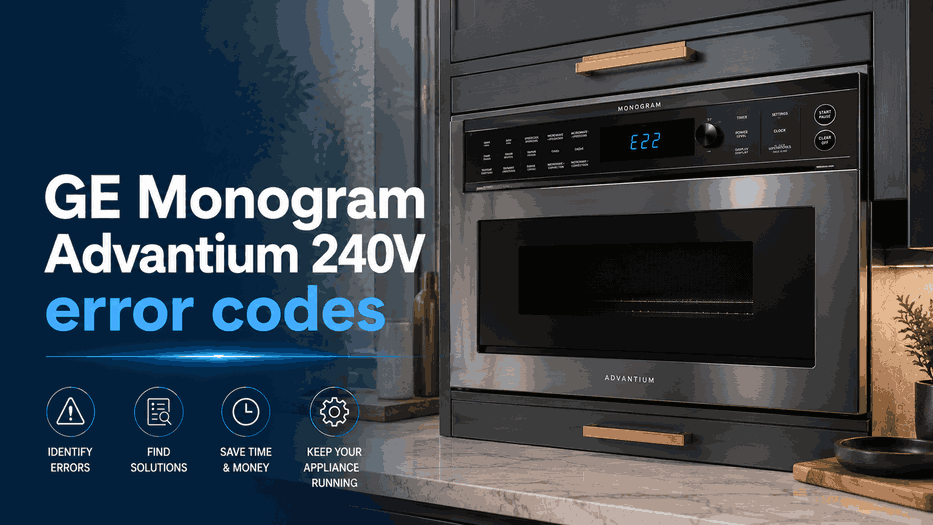
A GE Monogram Advantium 240V oven may display F1, F2, F3, F4, or F6 when its electronic controls detect a problem with temperature sensing, humidity monitoring, the touch-control panel, or excessive heat inside the cooking cavity. These codes are programmed into the appliance to give technicians a starting point for diagnosis, but they do not always identify the exact failed component.
Before clearing the message, write down the complete code and note what the Advantium was doing when it appeared. Record whether the appliance was using Speedcook, microwave, convection, broil, or another cooking mode. The model number is also important because internal components and service procedures may vary between Advantium configurations.
F1: Open Thermal Sensor Circuit
The F1 error code means the Advantium control has detected an open thermal-sensor circuit. The thermal sensor helps the appliance monitor temperature conditions during operation. When its electrical circuit is interrupted, the control may no longer receive the information it expects and can stop the cooking program.
An open circuit does not automatically mean the sensor itself must be replaced. The condition may also involve a disconnected terminal, damaged wiring, a poor electrical connection, or the electronic control. Internal testing is required to determine where the signal has been lost.
Press CLEAR/OFF or CANCEL once and reprogram the cooking function. If F1 returns, disconnect power for approximately 30 seconds before trying the function again. A recurring F1 code should be professionally diagnosed rather than cleared repeatedly.
F2: Shorted Thermal Sensor
The F2 code identifies a shorted thermal-sensor circuit. Instead of an interrupted signal, the control detects an electrical condition outside the circuit’s expected range. The Advantium may stop heating, cancel the selected program, or show the message immediately after a cooking function begins.
Because F1 and F2 describe opposite electrical conditions, they should not be treated as the same fault. Diagnosis may include the sensor, wiring harness, connectors, and control input. Do not remove the appliance from its cabinet or access internal wiring for homeowner troubleshooting.
One control reset can be attempted using the official clearing procedure. If F2 appears again after power is restored, leave the appliance unused until the temperature-sensing circuit has been tested.
F3: Shorted Touch-Pad Panel
The F3 error code means the touch-pad panel has developed a shorted condition. Homeowners may notice buttons that do not respond, commands that appear without being selected, repeated beeping, or a cooking program that cannot be entered correctly.
Wipe the accessible control surface with a soft cloth and dry it completely. Moisture, grease, or cleaning residue can interfere with touch operation, although a persistent F3 message usually requires more than surface cleaning.
Do not spray cleaner directly onto the panel or continue pressing multiple buttons to force the oven to start. If F3 returns after the control is cleared and power is reset, the touch pad, its connection, or the electronic control may require professional evaluation.
F4: Humidity Sensor Fault
The F4 code means the humidity-sensor circuit is either open or shorted. The humidity sensor monitors moisture released from food during compatible automatic cooking functions. When the control receives an invalid signal, sensor-based operation may stop or produce an error instead of completing the program.
The code does not establish whether the sensor, wiring, connector, or control is responsible. Avoid attempting to reach the humidity sensor through vents or by removing the outer cabinet. Advantium ovens contain high-voltage components even when microwave cooking is not the only function being used.
After one official reset attempt, a returning F4 code should be documented with the active cooking mode and referred for model-specific diagnosis.
F6: High Cavity Temperature Detected
The F6 error code means the Advantium has detected an unusually high temperature inside the cooking cavity. Stop the cooking program and allow the appliance to cool before attempting any reset.
Check for smoke, burned food, an empty cooking container, blocked airflow, or heavy residue without opening service panels. Keep the oven off if there is a burning odor, sparking, visible damage, or heat that seems excessive for the selected mode.
A returning F6 code may require testing of temperature monitoring, airflow, heating controls, wiring, or connected electronics. Continuing to operate the oven after repeated high-temperature warnings is not appropriate.
Clearing an Advantium 240V Fault Code
GE recommends pressing CLEAR/OFF or CANCEL, programming the control again, and checking whether the code returns. If it does, disconnect power for 30 seconds and retry the cooking function. When the same message appears again, service may be necessary.
Do not remove the outer cabinet or attempt internal microwave repairs. Prepare the exact code, model number, cooking mode, and symptoms for the technician.
GE Monogram Advantium 240V Service in San Diego
Reset Appliance Repair provides GE Monogram Advantium 240V diagnostics in San Diego for thermal-sensor faults, touch-control errors, humidity-sensor problems, recurring high-temperature alerts, and related electronic issues.
Related GE Monogram Appliance Error Code Guides
Use these GE Monogram resources to compare Advantium 240V fault messages with the broader brand library and closely related cooking appliance systems.
GE Monogram Appliance Error Codes: Start with the main GE Monogram appliance error code guide for an overview of diagnostic messages across GE Monogram cooking, refrigeration, and cleaning appliances.
Microwave: Review GE Monogram microwave error codes for related faults involving thermal and humidity sensors, touch controls, temperature probes, internal overheating, and electronic operation.
Range and Wall Oven: Explore GE Monogram range and wall oven error codes for warnings connected with temperature sensing, heating functions, cooling fans, door locking, power, and electronic controls.
These connected guides help homeowners compare GE Monogram Advantium 240V codes with diagnostic information for closely related microwave, range, and wall oven systems.
Reset Appliance Repair – San Diego, CA
📍 Address: 11031 Via Brescia, San Diego, CA 92129
📧 Email: resetappliance@gmail.com
☎️ Phone: +1 619-743-9389
🕒 Open Hours: Monday – Sunday: 7:00 AM – 10:00 PM
GE Monogram Advantium F1–F6 Codes and Detected Operating Faults
The table matches GE Monogram Advantium 240V codes with open or shorted thermal-sensor circuits, touch-panel failure, humidity-sensor trouble, and excessive cavity temperature. Review the meaning of F1, F2, F3, F4, and F6 together with the listed clearing procedure to determine whether the oven can be reset safely or should remain off for professional diagnosis.
| Error Code | Meaning | Safe first steps | Technician required | Related help |
|---|---|---|---|---|
| F1 | Open thermal sensor. | Press CLEAR/OFF or CANCEL, program control again, then disconnect power for 30 seconds and retry. | Yes — if the code appears again; GE recommends unplugging until serviced. | |
| F2 | Shorted thermal sensor. | Press CLEAR/OFF or CANCEL, program control again, then disconnect power for 30 seconds and retry. | Yes — if the code appears again; GE recommends unplugging until serviced. | |
| F3 | Shorted touch pad panel. | Press CLEAR/OFF or CANCEL, program control again, then disconnect power for 30 seconds and retry. | Yes — if the code appears again; GE recommends unplugging until serviced. | |
| F4 | Open or shorted humidity sensor. | Press CLEAR/OFF or CANCEL, program control again, then disconnect power for 30 seconds and retry. | Yes — if the code appears again; GE recommends unplugging until serviced. | |
| F6 | High cavity temperature detected. | Press CLEAR/OFF or CANCEL, program control again, then disconnect power for 30 seconds and retry. | Yes — if the code appears again; GE recommends unplugging until serviced. |
