
 +1 619-743-9389
Miele Dishwasher Error Code Service Companion
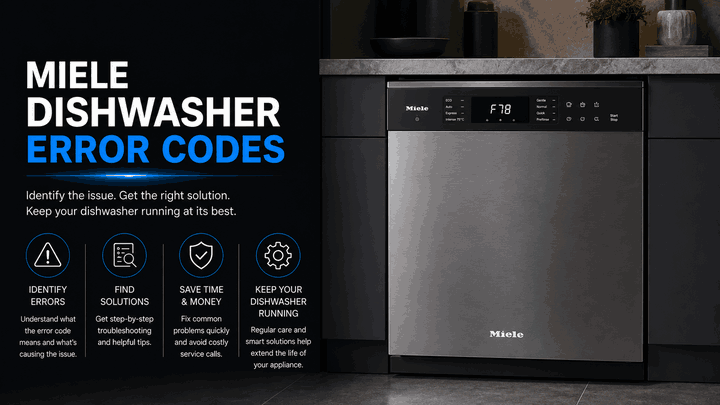
A Miele dishwasher can stop with a fault number, a flashing inlet/drain light, or several program lights blinking together. Each display pattern points to a stage such as water removal, circulation, detergent dispensing, or water intake. The message helps identify where the cycle was interrupted, but it does not confirm which component has failed.
This guide organizes the listed Miele dishwasher alerts for San Diego homeowners. Reset Appliance Repair provides local service for Miele dishwashers that leave water in the cabinet, stop shortly after starting, cancel AutoDos operation, or cannot circulate water through the spray system.
What Miele Dishwasher Fault Displays Usually Indicate
Miele dishwashers monitor water intake, circulation, drainage, and, on compatible models, the AutoDos dispensing process. A fault may appear because of an obstruction, a restricted hose, a blocked pump, a detergent-system problem, or a technical failure that requires internal testing.
The model series matters. F11 in this list applies to G 1xxx–G 6xxx machines, while F600 belongs to dishwashers equipped with AutoDos.
Common Miele Dishwasher Fault Families
Drainage and Water-Path Alerts: F11 and Inlet/Drain Indicator Light Flashing
This is the most practical fault group for homeowners because both alerts can involve water remaining in the wash cabinet.
F11 on G 1xxx–G 6xxx dishwashers indicates a drain fault. Miele lists a blocked drain pump or water flowing back into the cabinet as possible causes. Debris around the filter, non-return valve, or pump can restrict drainage. The dishwasher may stop with standing water, fail to reach drying, or make repeated attempts to pump water away.
An inlet/drain indicator light flashing on and off has a wider meaning. The dishwasher may have encountered trouble while filling or draining. Possible conditions include a closed faucet, dirty inlet filter, kinked inlet hose, low water pressure, clogged filter combination, blocked non-return valve, or restricted drain hose. Miele also notes that the waterproof system can trigger this indicator pattern.
Because this light covers both sides of the water path, the appliance’s behavior matters. A machine that never fills suggests a different starting point from one that fills but cannot empty.
Other Miele dishwasher fault groups may also appear:
Circulation Pump Fault: F78
F78 means the circulation pump is blocked or that a technical circulation-pump fault has occurred. This pump moves water through the spray arms during washing. When it cannot run, the dishwasher may start but remain unusually quiet, stop early, or leave dishes largely untouched by the wash action.
Miele advises switching the dishwasher off, waiting briefly, turning it back on, and starting the selected program again. A returning F78 generally needs professional diagnosis.
AutoDos Dispensing Outlet Fault: F600
F600 identifies an AutoDos dispensing-process outlet fault. When the dishwasher registers it, the drain pump starts and the active wash program is canceled immediately. The display or LEDs show the fault, and the warning buzzer repeats.
This alert is different from a general detergent complaint. It means the monitored AutoDos dispensing process did not complete correctly. Repeated restarts should not replace inspection of the dispensing system.
Wash, Dry, and End Lights Flashing
When the Wash, Dry, and End program lights flash together, Miele identifies a blocked circulation pump as one possible cause. This may happen after the dishwasher has remained unused for weeks or months, allowing the pump to dry and stick.
The same light pattern can also represent a technical fault. If the approved restart procedure does not restore circulation, the dishwasher requires service instead of repeated cycle attempts.
What San Diego Homeowners Should Do First
Record the exact display before turning off the appliance. Check whether water entered, whether water remains inside, whether spray noise was present, and whether the alert appeared immediately or later in the cycle.
For F11 or a flashing inlet/drain indicator, inspect the accessible filter area and visible hoses. Disconnect power before reaching near the drain-pump area, and use caution because small glass fragments can be difficult to see. If the waterproof system has reacted or the drain pump keeps running, close the water faucet and disconnect power.
For F78, F600, or flashing Wash, Dry, and End lights, avoid forcing repeated programs. One controlled restart may rule out a temporary condition, but returning alerts call for model-specific testing.
Local Miele Dishwasher Error Code Help in San Diego
A Miele dishwasher that repeatedly shows F11, F78, F600, a flashing inlet/drain indicator, or flashing Wash, Dry, and End lights usually needs a targeted inspection. Local in-home service can separate a removable water-path blockage from a circulation, AutoDos, or electronic fault.
Related Miele Appliance Error Code Guides
Use these Miele resources to move from dishwasher-specific fault information to the broader brand library and support guides for other household appliances.
Miele Appliance Error Codes: Start with the main Miele appliance error code guide for an overview of diagnostic messages across Miele cleaning, laundry, refrigeration, and cooking appliances.
Washer: Review Miele washer error codes for additional guidance when another water-using Miele appliance displays a fault or interrupts normal operation.
Refrigeration: Explore Miele refrigeration error codes when a Miele refrigerator or related cooling appliance shows a separate diagnostic message.
These connected guides help homeowners move from Miele dishwasher diagnostics to the wider brand support library and other appliance-specific error code resources.
Reset Appliance Repair – San Diego, CA
📍 Address: 11031 Via Brescia, San Diego, CA 92129
📧 Email: resetappliance@gmail.com
☎️ Phone: +1 619-743-9389
🕒 Open Hours: Monday – Sunday: 7:00 AM – 10:00 PM
Miele Dishwasher Error Code Meanings and Recommended Actions
The table explains Miele dishwasher alerts F11, F78, and F600, along with flashing Inlet/Drain and Wash, Dry, and End indicators. It connects each display pattern with its meaning and outlines the appropriate drainage, water-supply, circulation, AutoDos, and restart checks before professional diagnosis is required.
| Error Code | Meaning | Safe first steps | Technician required | Related help |
|---|---|---|---|---|
| F11 (G 1xxx–G 6xxx) | Drain fault; non-return valve or drain pump blocked and water remains in the wash cabinet. | Switch off and unplug, clean the non-return valve / drain pump area, restart the program, and confirm water pumps away. | Yes — if the fault returns after cleaning and restart. | |
| F78 | Circulation pump blocked or stuck. | Pour warm water with a few drops of rinse aid into the sump area as directed by Miele, restart the program, and repeat 2–3 times if needed. | Yes — if the fault persists after reset / freeing the pump. | |
| F600 (AutoDos: dispensing process outlet fault) | AutoDos dispensing path is blocked and the wash program is canceled. | Turn the dishwasher off, clean the lower spray arm and AutoDos system / PowerDisk area, then power back on and retest. | Yes — if the fault remains and the dishwasher cannot restart. | |
| Inlet/drain indicator light flashing | Water supply / drain fault while filling or draining. | Turn on the faucet, clean the inlet filter and filter combination, inspect the drain pump / non-return valve, and remove hose kinks. | Yes — if the indication returns after these safe checks. | |
| Wash, Dry, and End lights flashing | Circulation pump blocked or there is a technical fault. | Remove the filter combination, add warm water with a few drops of rinse aid, restart, and repeat 2–3 times if needed. | Yes — if the lights continue flashing after restart. |
