
 +1 619-743-9389
Thermador Electric Cooktop DE Demo Mode Zones Not Heating
A Thermador electric cooktop DE demo mode zones not heating problem usually means the cooktop controls are active, but the heating zones do not produce heat. The display may show DE, respond to touch commands, or look like the appliance is operating normally, while the surface elements stay cold.
For homeowners in San Diego, CA, this can be confusing because the cooktop may seem powered on and responsive. In many cases, DE is connected to demo mode or a control setting that allows the display to work without normal heating. The goal is to understand what this behavior usually means, what simple checks are safe, and when professional cooktop service is needed.
What This Problem Usually Means
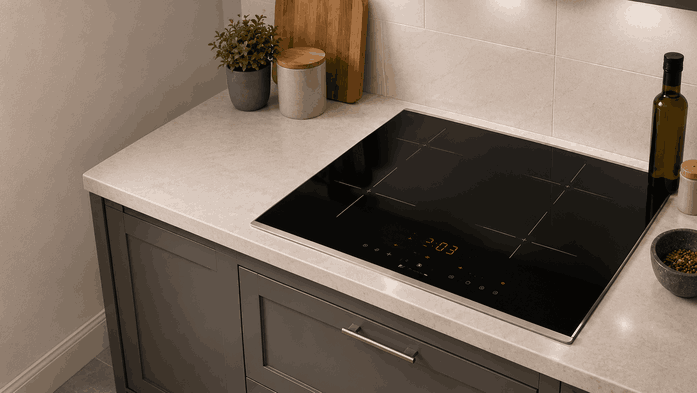
When a Thermador electric cooktop shows DE and the zones are not heating, the appliance may be in demo mode. Demo mode is often used for showroom display. It allows the control panel to light up and respond without energizing the heating elements.
This does not always mean the cooktop is broken. If the appliance was recently installed, serviced, reset, or powered down, a setting may have changed or stayed active by mistake.
However, if demo mode cannot be cleared, or if the cooktop still does not heat after basic checks, the problem may involve the touch controls, control board, power supply, or heating-zone circuit.
Common Signs of the Problem
DE Display With No Heat
The clearest sign is a DE display with no heat from one or more cooking zones. The cooktop may beep, respond to power commands, and let you select a zone, but the surface does not warm.
All Zones Stay Cold
Another sign is that all zones behave the same way. If every zone stays cold while the display works, the problem may be connected to a setting, control response, or supply issue rather than one single burner.
Issue Appears After Install or Reset
You may also notice this after installation, after a breaker reset, or after someone changed cooktop settings. In some cases, the cooktop looks fully functional until cookware is placed on it and no heat appears.
DE Returns After Reset
If the display continues to show DE or the cooktop returns to that state after a reset, the appliance is not returning to normal cooking mode.
Most Common Causes
Demo Mode Is Active
One common cause is demo mode being active. This is the most likely explanation when the controls work but the zones do not heat. The cooktop is showing display activity without allowing normal heating output.
Control Setting Error
Another possible cause is a control setting error. The appliance may have entered a special mode during setup, reset, or button input. This can make the cooktop seem functional while preventing cooking operation.
Power Supply Issue
A power supply issue can also cause heating failure. Some cooktops may have enough power for the display but not enough correct supply for the heating zones. This is more likely if the issue started after installation or electrical work.
Control Board or Relay Problem
There may also be a control board or relay problem. If the cooktop control can read commands but cannot send power to the zones, the display may work while heating remains disabled.
Wiring or Internal Communication Fault
In some cases, the issue may involve wiring, terminal connection, or an internal communication fault. These problems are not visible from the top surface.
What Homeowners Can Check First
Confirm the Display Message
Start by confirming what the display shows. If DE appears, note whether it stays on the screen or appears only during startup.
Review Demo Mode Possibility
If the cooktop was recently installed or serviced, check whether demo mode may have been left active. You can review the user-facing control instructions for your model, but avoid forcing settings or holding random button combinations.
Restart the Cooktop Safely
Try turning the cooktop off and letting the surface cool fully. Then restart it and test one zone at a normal setting.
Try One Basic Power Reset
You can also perform a basic power reset at the household breaker. After power is restored, check whether DE returns and whether any zone heats.
Avoid Unsafe Internal Work
Avoid opening the cooktop, removing the glass surface, touching wiring, or testing voltage. If the display works but no zones heat, the issue may involve high-voltage components or internal controls.
When Professional Service Makes Sense
Professional service makes sense when the Thermador electric cooktop DE demo mode zones not heating problem continues after a basic reset, when demo mode cannot be cleared, or when all zones remain cold.
It is also the right step if the issue began after installation, breaker work, or a power event. A technician can help determine whether the cooktop is stuck in demo mode, receiving incorrect power, or failing to activate the heating circuits.
For homeowners in San Diego, CA, professional electric cooktop service can separate a simple setting issue from a real appliance fault. This helps avoid repeated resets, unsafe electrical checks, and unnecessary part replacement.
Related Support Information
Because this issue appears with a display indicator, a related Thermador cooktop error codes page can provide extra context. Still, the main concern is the behavior itself: the cooktop shows DE, but the zones are not heating.
Conclusion
A Thermador electric cooktop DE demo mode zones not heating issue usually points to demo mode, a control setting problem, incorrect power supply, or an internal control fault. Safe checks can help rule out simple setting-related causes, but repeated DE display behavior or zones that stay cold usually call for professional cooktop service in San Diego, CA.
Related Thermador Electric Cooktop Troubleshooting Guides
Use these Thermador electric cooktop resources to connect dE demo mode and nonheating zones with relevant error codes and another closely related display condition.
Thermador Electric Cooktop Error Codes: Start with Thermador Electric Cooktop Error Codes when the appliance displays a diagnostic message related to cooking-zone operation, controls, temperature monitoring, power, or safety functions.
Thermador Electric Cooktop D or E Display Automatic Time Limit: Review Thermador Electric Cooktop D or E Display Automatic Time Limit when the cooktop displays D or E after a cooking zone has operated for the maximum permitted time.
These related guides help homeowners connect Thermador electric cooktop dE demo mode zones not heating with diagnostic codes and display conditions that may prevent normal cooking operation.
Contact Information
Reset Appliance Repair – San Diego, CA
📍 Address: 11031 Via Brescia, San Diego, CA 92129
📧 Email: resetappliance@gmail.com
☎️ Phone: +1 619-743-9389
🕒 Open Hours: Monday – Sunday: 7:00 AM – 10:00 PM
