

 +1 619-743-9389
Viking Wall Oven Latch and Keyboard Error Door Lock Control Failures
A Viking wall oven latch and keyboard error door lock control failures issue usually means the oven is having trouble confirming a door-lock or control-panel signal. The oven may beep, refuse to start, cancel self-clean, stay locked, or show a warning tied to the latch, keypad, or control system.
For homeowners in San Diego, CA, this type of problem can interrupt both regular cooking and high-heat cleaning. A Viking wall oven depends on the latch assembly, door switch, keyboard, control board, and wiring connections to confirm safe operation. If one signal is missing or incorrect, the oven may stop instead of continuing.
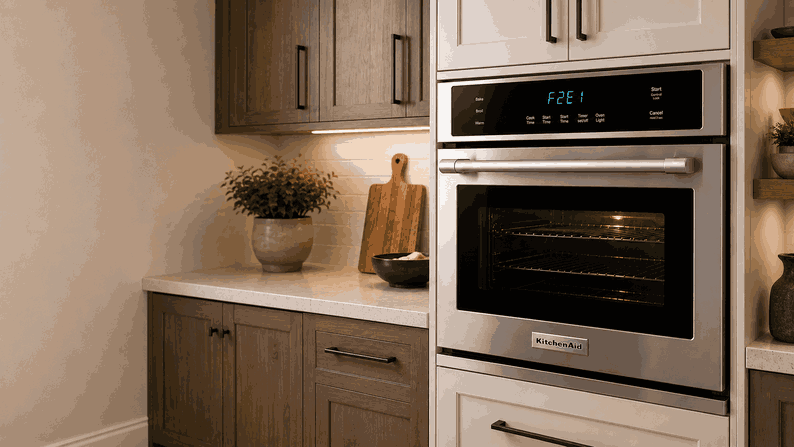
Why Latch and Keyboard Errors Matter
The latch and keyboard are not separate from the oven’s safety logic. The keyboard sends user commands, while the latch system confirms whether the oven door is closed, locked, or unlocked. The control board reads both systems before allowing certain functions.
This is especially important during self-clean. The oven must lock the door before reaching high temperatures. If the latch does not move correctly, or if the control cannot read the lock position, the cycle may cancel.
A keyboard error can cause similar trouble. If a key appears stuck, unresponsive, or sends repeated input, the oven may beep, reject commands, or display a fault even when the door itself looks normal.
Common Signs Homeowners Notice
Door Lock Message During Self-Clean
One common sign is a door lock message that appears when starting self-clean or another oven function. The oven may try to lock, fail to confirm the position, and stop the cycle.
Keypad Does Not Respond Normally
Another sign is a keypad that does not respond normally. Buttons may work only sometimes, react slowly, or trigger beeping without starting the selected mode.
Oven Door Stays Locked
The oven door may also stay locked after a cleaning cycle or high-temperature use. In some cases, the door is physically closed, but the control still acts as if the latch position is wrong.
Problem Returns After Cooling or Reset
Some homeowners notice this problem after a power outage, after cleaning the control area, or after a long self-clean cycle. If the warning returns after the oven cools and resets, the issue is likely more than a temporary delay.
Most Likely Causes
Door Latch Assembly Problem
One possible cause is a door latch assembly problem. The latch may be worn, stuck, misaligned, or unable to move fully into the locked or unlocked position.
Lock Motor or Door Switch Failure
Another likely cause is a lock motor or door switch failure. The oven needs a clear signal from these parts. If the signal is missing, the control may stop the cycle for safety.
Keyboard or Touch-Control Issue
A keyboard or touch-control issue can also create this type of warning. Moisture, grease, residue, wear, or a stuck key can make the control panel send the wrong input.
Control Board Problem
There may also be a control board problem. The board must interpret latch and keyboard signals and decide whether the oven can heat, clean, lock, or unlock.
Wiring or Communication Trouble
In some cases, the issue may involve loose wiring, heat-damaged connectors, or communication trouble between the user interface and the oven control system.
Safe Checks Before Requesting Service
Check the Oven Door Area
Start by checking the oven door area. Make sure racks, pans, foil, or debris are not keeping the door from closing fully.
Let the Oven Cool After Self-Clean
If the issue appeared after self-clean, let the oven cool completely. Some door locks will not release until the temperature drops to a safe level.
Clean the Keyboard Surface
Wipe the keyboard gently with a soft, dry cloth if there is visible moisture, grease, or residue. Do not spray cleaner directly onto the control panel.
Try One Basic Power Reset
Try a basic power reset at the household breaker. After restoring power, watch whether the same latch or keyboard warning returns.
Avoid Unsafe Lock or Panel Work
Avoid forcing the door open, pushing tools into the latch area, removing panels, or trying to bypass the lock. The door lock is part of the oven’s safety system, especially during self-clean.
When Professional Wall Oven Service Makes Sense
Professional service makes sense when the Viking wall oven latch and keyboard error door lock control failures warning comes back after the oven cools, the door area is clear, and the control panel has been cleaned.
It is also time to request service if the oven remains locked, refuses to start self-clean, beeps continuously, cancels cooking modes, or does not respond to keypad input. These signs may point to a latch motor, door switch, keypad, user interface, control board, wiring, or connector problem.
For homeowners in San Diego, CA, professional wall oven service can help determine whether the failure is mechanical, electrical, or control-related. Proper diagnosis helps avoid damage to the latch, door, control panel, or oven frame.
Related Support Information
If the display shows a specific warning number, a related Viking wall oven error codes page can provide extra context. If the oven also has heating or temperature problems, a related Viking wall oven RTD and probe error article may be useful.
Conclusion
A Viking wall oven latch and keyboard error door lock control failures problem usually points to a latch assembly issue, lock motor fault, keypad problem, control board failure, wiring concern, or door-position signal error. Safe checks can rule out simple obstructions or surface residue, but repeated lock or keyboard warnings usually call for professional wall oven service in San Diego, CA.
Related Viking Wall Oven Troubleshooting Guides
Use these Viking wall oven resources to connect latch and keyboard errors with relevant error codes and another closely related temperature-control problem.
Viking Wall Oven Error Codes: Start with Viking Wall Oven Error Codes when the appliance displays a diagnostic message related to the door latch, keyboard, electronic controls, temperature sensors, or oven operation.
Viking Wall Oven RTD and Probe Error Temperature Sensor Problems: Review Viking Wall Oven RTD and Probe Error Temperature Sensor Problems when the oven reports a resistance temperature detector or meat-probe fault that may interfere with accurate temperature monitoring.
These related guides help homeowners connect Viking wall oven latch and keyboard error door lock control failures with diagnostic codes and sensor problems that may affect normal oven operation.
Contact Information
Reset Appliance Repair – San Diego, CA
📍 Address: 11031 Via Brescia, San Diego, CA 92129
📧 Email: resetappliance@gmail.com
☎️ Phone: +1 619-743-9389
🕒 Open Hours: Monday – Sunday: 7:00 AM – 10:00 PM
