
 +1 619-743-9389
Whirlpool Wall Oven Error Code Service Companion
Whirlpool wall ovens may display a short fault such as F3, F4, or F6, or a longer combination such as F3 E1, F4 E3, F6 E9, or FC E1. The extra characters matter because they help identify the oven section, sensor circuit, control, or connected function that reported the problem.
This guide groups the provided codes into practical families for San Diego homeowners. Reset Appliance Repair provides local service for Whirlpool wall ovens that stop preheating, lose temperature control, become unresponsive, or repeatedly return the same fault after power is restored.
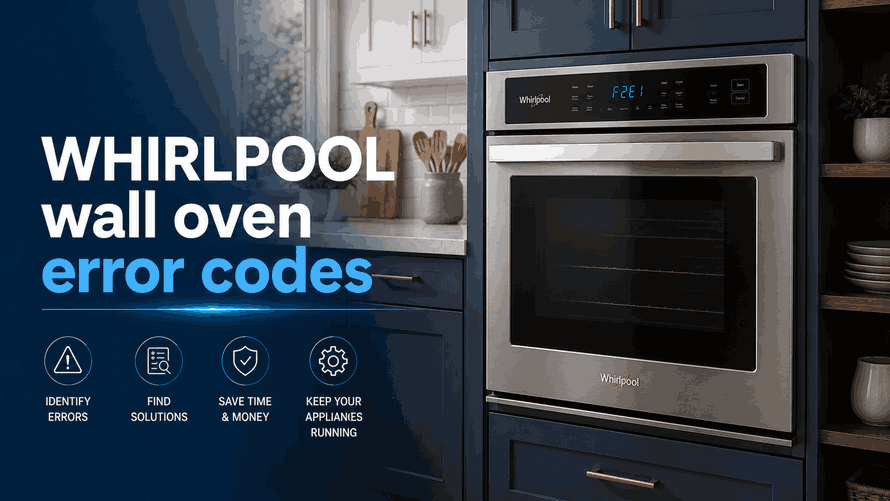
Understanding Whirlpool Wall Oven Code Families
A Whirlpool wall oven code is a diagnostic direction, not automatic proof that one specific component must be replaced. Similar symptoms can come from a sensor, control board, connector, wiring harness, or communication path.
Whirlpool publishes separate entries for multiple variations within the F3, F4, F6, and FC families. The complete code and model number should therefore be recorded before the breaker is switched off. Whirlpool’s general first step for many cooking-appliance codes is a one-minute power reset followed by monitoring the oven to see whether the message returns.
Main Temperature-Sensing Fault Family
F3 Codes: F3 / F3 E0 / F3 E1 and Other F3 Variations
The F3 family is mainly connected with oven temperature sensing and the electronic controls that receive sensor information. On compatible models, F3 E0 can indicate a problem with the upper oven temperature sensor, the control, or associated wiring. Other F3 combinations may apply to a different oven section or sensing circuit.
Homeowners may notice that the oven stops during preheating, displays an unexpected temperature, heats inconsistently, or cancels a cooking mode. A double wall oven may continue operating in one cavity while the other reports the fault, depending on which sensor circuit is affected.
The code alone cannot separate a failed sensor from damaged wiring or a control input problem. Avoid ordering a temperature sensor based only on the first two characters. Record the entire F3 combination and whether the upper or lower oven was active.
Other Whirlpool wall oven error groups may also appear:
F4 Codes: F4 / F4 E3 / F4 E4 and Other F4 Variations
The F4 family also involves temperature monitoring, thermistors, appliance controls, and related wiring, but the exact monitored area depends on the full code and oven configuration. Whirlpool identifies some F4 combinations as thermistor and appliance-manager conditions.
On combination wall ovens, F4 E3 can point to the microwave exhaust-air temperature sensor or its wiring. This means an F4 code on an oven-and-microwave combination should not automatically be interpreted as a standard oven-cavity sensor fault.
Possible symptoms include interrupted microwave or oven operation, a cooling or exhaust-related warning, failed preheating, or a code that appears as soon as a specific cooking mode starts. The appliance design and complete number determine the correct testing path.
F6 Control and Communication Family: F6 / F6 E0–F6 E9
The F6 family commonly concerns appliance-manager controls, converter controls, communication between electronic components, or the wiring connecting them. Whirlpool’s guidance for F6 E1 and F6 E2, for example, lists the appliance manager, converter control, and associated wiring as possible areas involved.
The oven may light up but fail to start, stop during a program, restart unexpectedly, or ignore keypad commands. Some variations identify a particular cavity or control. Whirlpool states that F6 E9 can involve the lower oven appliance manager or its wiring.
An F6 E0 code may appear when a cycle is started and may clear after the manufacturer’s one-minute breaker reset. A returning code requires further diagnosis rather than repeated power cycling.
Connected and App Error Codes: FC E1–FC E9
The FC E1 through FC E9 family is listed by Whirlpool under wall oven app error messages. These codes belong to connected-feature, registration, software, or communication conditions whose exact meaning depends on the full number.
The oven’s basic cooking functions may behave differently from its connected features. Homeowners may notice failed app registration, unavailable remote controls, lost communication, or an FC code that remains even when the oven still heats.
Record the complete FC code before resetting the appliance. Reinstalling the app or restarting the router repeatedly may not correct an oven-side control or data problem.
What San Diego Homeowners Should Do First
Photograph the display and note which cavity and cooking mode were active. Turn the correct breaker off for one minute, restore power once, and monitor the oven for another minute before testing normal operation.
Stop using the oven if it overheats, trips the breaker, smells electrical, keeps the door locked after cooling, or returns the same code immediately.
Do not remove the built-in oven, bypass sensors, or test live wiring. A reset cannot repair a failed thermistor, appliance manager, converter control, connector, or damaged harness.
Local Whirlpool Wall Oven Error Code Help in San Diego
Repeated F3, F4, F6, or FC E1–FC E9 messages usually require model-specific testing. Local in-home service can identify whether the problem involves temperature sensing, a combination-oven thermistor, electronic communication, connected functions, wiring, or appliance controls.
Related Whirlpool Appliance Error Code Guides
Use these Whirlpool resources to compare wall oven warnings with the broader brand library and closely related built-in cooking appliance guides.
Whirlpool Appliance Error Codes: Start with the main Whirlpool appliance error code guide for an overview of diagnostic messages across Whirlpool cooking, refrigeration, cleaning, and laundry appliances.
Cooktop: Review Whirlpool cooktop error codes for related cooking-system faults involving the touch interface, keypad response, internal wiring, and communication between electronic controls.
Built-In Microwave: Explore Whirlpool built-in microwave error codes for additional built-in appliance warnings connected with temperature sensing, heating, electronic controls, wiring, incoming power, and communication within combination units.
These connected guides help homeowners move from Whirlpool wall oven diagnostics to closely related cooktop and built-in microwave support resources.
Reset Appliance Repair – San Diego, CA
📍 Address: 11031 Via Brescia, San Diego, CA 92129
📧 Email: resetappliance@gmail.com
☎️ Phone: +1 619-268-5820
🕒 Open Hours: Monday – Sunday: 7:00 AM – 10:00 PM
Whirlpool Wall Oven Error Code Meanings and Recommended Actions
The table explains Whirlpool wall oven codes from the F3, F4, F6, and FC families, including extended combinations that identify the affected oven section or connected function. It outlines how to record the complete message, perform one controlled power reset, monitor the appliance, and recognize when a recurring code requires model-specific professional diagnosis.
| Error Code | Meaning | Safe first steps | Technician required | Related help |
|---|---|---|---|---|
| F3 family (for example F3 / F3 E0 / F3 E1) | Oven temperature-sensor / control / wiring fault family. | Turn the breaker off for 1 minute, restore power, and monitor the oven for recurrence. | Yes — if the code returns after reset. | |
| F4 family (for example F4 / F4 E3 / F4 E4) | Appliance-manager / control / wiring fault family. | Turn the breaker off for 1 minute, restore power, and monitor the oven for recurrence. | Yes — if the code returns after reset. | |
| F6 family (for example F6 / F6 E0–F6 E9) | Electronic-control fault family on supported wall ovens. | Turn the breaker off for 1 minute, restore power, and verify operation. | Yes — if the code returns after reset. | |
| FC E1–FC E9 | Connected-appliance / communication fault family on supported wall ovens. | Turn the breaker off for 1 minute, restore power, and verify operation. | Yes — if the code returns after reset. |
